Today's craft
Your pages stop being a stream — and gain real anatomy.
Seven classes in, every page you've built is technically one long list of content poured into <body>. It works — but nothing in the markup says which part is the masthead, which part is the menu of links, which part is the actual content. Today HTML5's structural elements fix that: <header>, <nav>, <main>, <section>, <article>, <aside>, <figure>, <footer>. This closes the HTML block of the course — and both remaining HTML-side exam questions get solved today, at the exact point their material is taught.
Walk out of this room able to…
Three of today's files reference media — aside-figure.html wants assets/ragi-idli.jpg, audit-me.html wants assets/thali.png, and the PYQ proof file features-demo.html wants ai-coding-talk.mp4 (a real TEDx talk about coding in the AI era). All three ship in today's pack. Unzip it, copy the images/ contents into fswd-practice\class-08\assets\, and drop the .mp4 straight into fswd-practice\class-08\ — every src then resolves on your own machine, exactly as it does in the previews here.
Meet the box itself first
The <div> tag — HTML's plain cardboard box.
<div> (short for division) is HTML's generic container: a block-level box whose only job is to group other elements together. It has no meaning and no built-in look — on its own it changes nothing visually except starting on a new line. You'll use it constantly from Unit 2 onward as a styling and layout hook. One complete working file, then you'll see what happens when a whole page is built from nothing else.
<!DOCTYPE html><html lang="en"> <head> <meta charset="UTF-8"> <title>Meet the div</title> </head> <body> <div> <!-- box 1 — groups ONE dish's lines together --> <h2>Jonna Rotte Wrap</h2> <p>Sorghum flatbread, paneer, mint chutney — Rs. 60</p> </div> <div> <!-- box 2 — a second, separate group --> <h2>Ragi Idli Bowl</h2> <p>Steamed millet idlis, gunpowder, ghee — Rs. 50</p> </div> </body></html>Jonna Rotte Wrap
Sorghum flatbread, paneer, mint chutney — Rs. 60
Ragi Idli Bowl
Steamed millet idlis, gunpowder, ghee — Rs. 50
C:\Users\student\Desktop\fswd-practice\class-08\div-first.html — the exact 17 lines above, complete and runnable as-isDefinition to keep: <div> is a generic block-level container with no semantic meaning, used to group elements for styling and scripting. The key phrase is no semantic meaning — it tells the browser, search engines and screen readers nothing about what's inside. That "nothing" is exactly the problem the next screen shows at full scale.
The problem first
What "div soup" looks like.
Now you know the box. Here's what happens when it's the only tag a site uses. It's HTML's meaningless box — a container that says nothing about what's inside it — and for years, entire websites were built from nothing else. The markup below is real-world style, and it's what your own pages would drift into without today's class. Read the left side and try to answer one question: where does the actual content start?
One sentence to keep: semantic markup means choosing the tag that describes the content's meaning — exactly like Class 3's rule that a heading is <h1> because it is a heading, not because you want big text. Today extends that rule from text to whole page regions.
GO DEEPER · WHY DID DIV SOUP HAPPEN AT ALL?
Before HTML5 (standardised 2014), there simply were no <header> or <nav> tags — developers wrote <div id="header"> and <div id="nav"> so often that the HTML5 committee literally surveyed millions of pages, found the most common div names, and promoted them into real elements. The tags you learn today were voted into existence by the world's collective habit.
Idea one
The skeleton four — header · nav · main · footer.
Almost every page on the web — news site, bank, food delivery app — decomposes into the same four regions. Watch the X-ray panel on the right: each press adds exactly one structural element, in the same order the code declares it. Build the skeleton in your head as it builds on screen.
anatomy.html inside fswd-practice\class-08\.- A complete HTML file — doctype,
html lang="en", head with charset and the title Page anatomy. - The body holds exactly four regions, in this order:
<header>,<nav>,<main>,<footer>. - Header carries the site name and tagline; nav lists Home · Menu · About; footer carries the © line and email.
<main>appears exactly once — the one rule with a number in it.
<!DOCTYPE html><html lang="en"> <head> <meta charset="UTF-8"> <title>Page anatomy</title> </head> <body> <header>Poshtik Campus — Fuel for thinkers</header> <nav>Home · Menu · About</nav> <main>…everything this page actually exists to say…</main> <footer>© Poshtik Campus · orders@poshtikcampus.in</footer> </body></html>C:\Users\student\Desktop\fswd-practice\class-08\anatomy.html — the skeleton every page this week reuses.fswd-practice\ is the sandbox; it is not a git repo.The one rule with a number in it: a page may have several <header>s and <footer>s (an article can carry its own), but <main> appears exactly once — it marks the content unique to this page. Two mains is invalid HTML and a classic 2-mark trap.
GO DEEPER · WHAT A SCREEN READER DOES WITH THESE
Screen-reader users navigate by landmarks: one keystroke jumps to <nav>, another straight to <main> — skipping the masthead they've heard on every page. In div soup there are no landmarks: the reader must trudge through everything, every page, every visit. Your four tags just gave someone minutes of their day back.
Idea two
<section> vs <article> — the distinction students blur.
Here's the test that settles it every time: could this chunk stand alone and still make sense — in an email, a feed, a printout? If yes, it's an <article>. If it's a themed grouping of related content that only makes sense inside the page, it's a <section>. The Poshtik menu proves it: "Today's menu" is a grouping — a section. Each dish card could be clipped out and posted on Instagram alone — each is an article.
<!DOCTYPE html> down, in fswd-practice\class-08\.- One
<section>whose<h2>names the theme: Today's Menu. - Three
<article>s inside it — Jonna Rotte Wrap, Ragi Idli Bowl, Millet Protein Shake — each with an<h3>and one<p>description. - Apply the stand-alone test: each dish card must make sense clipped out on its own; the grouping must not.
<!DOCTYPE html><html lang="en"> <head> <meta charset="UTF-8"> <title>Poshtik Campus · Menu</title> </head> <body> <main> <section> <h2>Today's Menu</h2> <article> <h3>Jonna Rotte Wrap</h3> <p>Sorghum flatbread, paneer, mint chutney.</p> </article> <article> <h3>Ragi Idli Bowl</h3> <p>Steamed millet idlis, gunpowder, ghee.</p> </article> <article> <h3>Millet Protein Shake</h3> <p>Ragi malt, jaggery, cold milk.</p> </article> </section> </main> </body></html>C:\Users\student\Desktop\fswd-practice\class-08\section-article.html — the exact 26 lines above; a complete file, runnable as-is.Rule of thumb for the exam hall: <article> = standalone (news story, product card, forum post, one dish). <section> = themed grouping with a heading (chapter, tab panel, "Today's Menu"). If you can't name the section's theme in a heading, you probably wanted a plain <div>.
Idea three
The supporting cast — <aside> and <figure>.
Two more elements complete today's set. <aside> holds content related to, but separable from, the main flow — a "chef's note", a sidebar of offers. <figure> pairs an image (or any illustration) with its <figcaption> so the caption is structurally attached — not just a paragraph that happens to sit underneath, the way your Class 3 image pages did it.
<!DOCTYPE html> down, in fswd-practice\class-08\.- Inside
<main>, one<article>with an<h2>— Ragi Idli Bowl — and a description paragraph. - A
<figure>wrapping an<img>(src="assets/ragi-idli.jpg", meaningfulalt) plus a<figcaption>. - An
<aside>—<h3>Chef's note and one<p>— as a sibling of the article, not inside it.
<!DOCTYPE html><html lang="en"> <head> <meta charset="UTF-8"> <title>Ragi Idli Bowl · Poshtik</title> </head> <body> <main> <article> <h2>Ragi Idli Bowl</h2> <figure> <img src="assets/ragi-idli.jpg" alt="Four ragi idlis in a steel bowl"> <figcaption>Steamed fresh at 7 am, canteen kitchen.</figcaption> </figure> <p>Millet idlis with gunpowder and ghee…</p> </article> <aside> <h3>Chef's note</h3> <p>Best with the millet shake — ask for the combo.</p> </aside> </main> </body></html>C:\Users\student\Desktop\fswd-practice\class-08\aside-figure.html — the exact 23 lines above; a complete file, runnable as-is.assets\ragi-idli.jpg from today's asset pack (top of this page). Until you unzip it, your alt text renders in its place.GO DEEPER · WHY FIGURE BEATS "IMAGE + PARAGRAPH"
In Class 3 you captioned images with a <p> below the <img> — and nothing in the markup connected the two. A screen reader announces them as unrelated neighbours; a search engine can't tell the caption describes that image. <figure> makes the pairing a fact of the document, not a visual coincidence. Same pixels, more truth.
PYQ · Part 4 · Q2 · 2 marks — straight from today's board.
Two marks — but the sheet below deliberately goes deeper than two marks demand (locked course rule: depth beats weightage). Full points, a runnable ten-line proof, and the context an examiner never asks for but a developer needs. Everything here was taught in the last twenty minutes.
Q2. List any two new features of HTML5 and give an example of the <section> element. [2M]
Ans. — written the way it earns both marks, then deeper than two marks demand ↓
Feature 1 — semantic structural elements. HTML5 introduced tags that name page regions by meaning — <header> <nav> <main> <section> <article> <footer> — replacing anonymous <div> containers.✓ ½
Feature 2 — native audio & video. The <video> and <audio> tags play media directly in the browser — built-in player, controls, pause, fullscreen — with zero plugins (pre-HTML5 pages needed Flash for this).✓ ½
Example of <section>: <section> <h2>When AI writes the code</h2> …related content… </section> — a themed grouping of related content, titled by its heading.✓ 1
Prove it in ten lines — the file features-demo.html builds LIVE right below this sheet, one line per press — and its output screen builds in sync beside it, finishing with a really playable video.
Beyond the marks — why HTML5 added these at all. Pre-HTML5 pages faked both jobs: anonymous <div> soup for structure, and a Flash plugin for every video. HTML5 moved both into the language itself — so meaning and media now survive any team, any tool, any decade.✚ depth
The proof, live. One press per line on the left — and the browser screen on the right grows the same moment. The last reveal is a real <video> — press play and a TEDx talk about exactly our question ("what should we still learn when AI writes the code?") actually plays.
<!DOCTYPE html><html lang="en"> <head> <meta charset="UTF-8"> <title>HTML5 features, proved</title> </head> <body> <section> <h2>When AI writes the code</h2> <p>A TEDx talk asks: what should we still teach?</p> <video src="ai-coding-talk.mp4" controls width="480"> Your browser cannot play this video. </video> </section> </body></html>When AI writes the code
A TEDx talk asks: what should we still teach?
C:\Users\student\Desktop\fswd-practice\class-08\features-demo.html — the exact 16 lines above, complete and runnable; keep the .mp4 beside the file so line 11's src finds it.poshtik-campus\ alone carries commits.Marks anatomy: 1 mark for two correctly named features, 1 mark for a valid <section> example. Other acceptable features if you blank: new form input types (email/date/tel with built-in validation — Classes 6–7), <canvas> drawing, local storage. Name two, not five — the examiner stops reading at two. The sheet above still goes past the marks on purpose: depth is a course rule; brevity is an exam-hall choice, not a study choice.
Semantic — or soup? Six verdicts, defended.
Six snippets from real student submissions. For each, write a verdict in your notebook — SEMANTIC or SOUP — plus one sentence of defence. The defence is the actual skill: "it's wrong" earns nothing in a viva; "it's wrong because the nav has no landmark" earns everything.
Six honest verdicts first. The two trick snippets in this set catch half the room every year.
| SNIPPET | VERDICT | THE DEFENCE THAT EARNS THE MARK |
|---|---|---|
| A | SOUP | Both divs have obvious roles — masthead and link menu — that HTML5 has real names for: <header> and <nav>. Class names like "top" mean nothing to browsers or screen readers. |
| B | SEMANTIC | Links wrapped in <nav> — the landmark exists, screen readers can jump to it. Correct as written. |
| C | INVALID | Trick 1: semantic tags used, but <main> twice is invalid HTML — one per page, always. Right family, broken rule. The fix: one <main> holding two <section>s (morning / evening). |
| D | SEMANTIC | One dish card, self-contained, passes the standalone test — a textbook <article>. |
| E | MISUSED | Trick 2: a semantic tag doesn't make markup semantic. No heading, no theme — the section test fails. This wanted a plain <div> (or no wrapper at all). Wearing the uniform isn't doing the job. |
| F | SEMANTIC | Copyright plus contact is exactly footer content — and the mailto: link inside is your Class 4 material composing with today's. |
What the two tricks teach: C and E fail while using semantic tags. Semantic markup is a discipline about matching meaning, not a checklist of fashionable tag names. That sentence is worth a mark in the 4-mark question coming next.
PYQ · Part 4 · Q11a · 4 marks — the "why" question.
This question used to ambush students before the elements were even taught. In this course it lands here, where every element it names is an hour old in your memory. Four marks — so four distinct points — and then the sheet keeps going past the marks: a connected diagram, a runnable skeleton, and the one idea underneath all four points.
Q11(a). Explain the importance of HTML5 semantic elements in structuring a web page. [4M]
Ans. — four labelled points, each traceable to something you did today ↓
Readability & maintainability. Tags like <header>, <nav> and <main> make a page's structure self-describing — a developer (including you, three weeks later) locates any region instantly, where div soup forces guesswork.✓ 1
Accessibility. Screen readers expose semantic elements as landmarks — users jump straight to <nav> or <main> with one key, instead of listening through the whole page. Anonymous divs offer no landmarks at all.✓ 1
Search-engine understanding (SEO). Crawlers weight content by structural role — text inside <main> and <article> is the page's substance; <aside> and <footer> content is correctly discounted.✓ 1
A standard shared vocabulary. Semantic elements replace every team's private naming (<div class="top">, <div id="menu">…) with one universal structure — any tool, browser or teammate reads any page the same way.✓ 1
<body>
  <header><h1>Poshtik Campus</h1></header>
  <nav><a href="menu.html">Menu</a></nav>
  <main>
    <section>
      <h2>Why Poshtik?</h2>
      <p>Millet-first meals, made on campus.</p>
    </section>
  </main>
  <footer><p>© Poshtik Campus</p></footer>
</body>
Beyond the marks — the contract underneath all four points. A semantic tag is a machine-readable promise about a region's role — the browser, the accessibility tree and the crawler all honour it with zero configuration. A class name is a private note only your own CSS ever reads. That single sentence is the exam answer — the four points above are just its four beneficiaries.✚ depth
Exam-hall reflex: marks count = points count, always. Four marks never wants an essay; it wants four labelled points (label them exactly like above — examiners tick labels). You'll write this once from memory as homework, timed at six minutes.
The payoff, on your own project
Rebuilding poshtik-campus/index.html — semantically.
Here is Lab 1's real home page, upgraded with today's full set. Watch both panels: the left shows the new markup, the right shows what the browser paints. The punchline arrives at the last press — the rendered page is visually identical to the old one. Semantics changed everything about what the page means, and nothing about how it looks. Looks are Class 9's job.
fswd-practice\class-08\; the real poshtik-campus\index.html gets this surgery in Lab 3 — the day CSS needs these regions as styling hooks.<header>with<h1>Poshtik Campus and the tagline paragraph.<nav>with two links —menu.html(Today's menu) andabout.html(Our story).<main>holding one<section>:<h2>Why Poshtik? plus a paragraph.<footer>with the © line andorders@poshtikcampus.in.
<body> <header> <h1>Poshtik Campus</h1> <p>Millet-first meals, made on campus.</p> </header> <nav> <a href="menu.html">Today's menu</a> <a href="about.html">Our story</a> </nav> <main> <section> <h2>Why Poshtik?</h2> <p>Fresh millet meals for brains at work…</p> </section> </main> <footer> <p>© Poshtik Campus · orders@poshtikcampus.in</p> </footer></body>Millet-first meals, made on campus.
Today's menu Our story
Why Poshtik?
Fresh millet meals for brains at work…
© Poshtik Campus · orders@poshtikcampus.in
Ten dishes, every one of them poshtik — exactly the file Lab 1 pushed.
- Jonna Rotte Wrap
- Ragi Sangati Bowl
- Pesarattu with Sprouts
- … seven more
Home
We believe campus food can be honest food: millets, sprouts and real vegetables, cooked the way home cooks.
Home
C:\Users\student\Desktop\fswd-practice\class-08\semantic-index.html — the Lab-3 rehearsal file; body regions in the panel, full skeleton around them.menu.html and about.html live in poshtik-campus\, not in class-08\. The preview above shows the file as it will sit beside them after the surgery.poshtik-campus\index.html gets this surgery — and its commit — in Lab 3.Sandbox first, repo later — as always. Today this rebuild is practised in fswd-practice\class-08\. The real poshtik-campus\index.html gets this surgery in Lab 3, where it ends with a proper git commit — the sandbox never does. Lab 2 keeps its hands on menu.html and the order form.
Audit a full page — five problems are hiding.
Class 3's alt-text drill checked one attribute alone. You now own the full toolkit, so this audit is the full discipline: structure and accessibility. The page below renders fine and looks harmless. Find five distinct problems — number them in your notebook with a one-line fix for each.
<body> <div class="top">Poshtik Campus</div> <div class="menu"> <a href="menu.html">Menu</a> </div> <main> <h3>Welcome</h3> <img src="assets/thali.png"> <p>Our millet thali, served 12–2 pm.</p> </main> <main> <p>© Poshtik Campus</p> </main></body>Poshtik Campus
Menu
Welcome
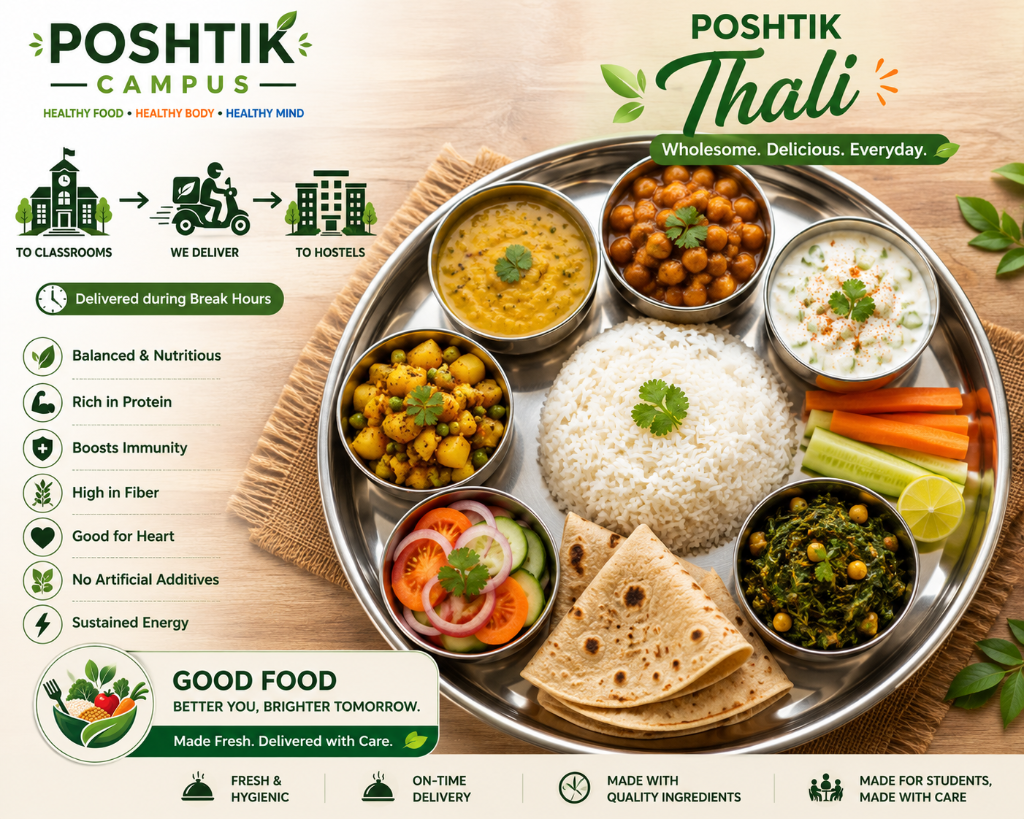
Our millet thali, served 12–2 pm.
© Poshtik Campus
Ten dishes, every one of them poshtik.
Back to audit-me.html
C:\Users\student\Desktop\fswd-practice\class-08\audit-me.html — all five problems included, exactly as printed. Do NOT fix it; it stays broken as your audit specimen.assets\thali.png from the asset pack. It renders fine — and "renders fine proves nothing" is the whole lesson.Five findings, honestly hunted, before you look. Auditors who peek stay juniors.
| WHERE | PROBLEM | THE FIX |
|---|---|---|
| line 2 | Masthead in an anonymous <div class="top"> — no landmark. | Replace with <header>. |
| lines 3–5 | Link menu in <div class="menu"> — screen readers can't jump to it. | Replace with <nav>. |
| line 7 | Heading levels skip — the page opens at <h3> with no <h1> anywhere (Class 3's ladder rule). | Make it <h1> — every page tops its ladder. |
| line 8 | <img> missing alt — the Class 3 cardinal sin, still the most common real-world failure. | alt="Millet thali with six katoris". |
| lines 11–13 | Second <main> — invalid; and its content is footer material anyway. | Replace the second main with <footer>. |
Score yourself like a reviewer: 5/5 — you already audit like a working reviewer. 3–4 — reread the finding you missed; each maps to one part of today. 0–2 — walk Parts 2–5 once more in learning mode at home; the audit reflex is built by repetition, not talent.
Every structural element, one table.
Today taught the eight you'll use daily. This table is the complete set — bookmark it; it answers every "which tag?" hesitation between now and the exam.
| ELEMENT | MEANING | RULE OF THUMB |
|---|---|---|
| <header> | Introductory content for page or section | Site masthead — or an article's own title block |
| <nav> | A block of major navigation links | Only major menus — not every group of links |
| <main> | Content unique to this page | Exactly one per page — the exam trap |
| <section> | Themed grouping of content | If you can't give it a heading, it isn't one |
| <article> | Self-contained, redistributable content | The standalone test: clips out whole, still makes sense |
| <aside> | Related but separable content | The removal test: delete it, nothing breaks |
| <figure> / <figcaption> | Illustration with attached caption | Caption belongs to image structurally, not visually |
| <footer> | Closing content for page or section | Contact, copyright, small print |
| <address> | Contact information for the nearest article/body | Wrap the canteen's email in the footer with it |
| <time> | A machine-readable date or time | <time datetime="2026-08-16">today</time> |
| <mark> | Highlighted / relevant text | Semantic highlight — not decoration |
| <div> / <span> | Meaningless block / inline container | Last resort — only when no semantic tag fits. Formal role from Class 9, where CSS gives them their real job. |
- State the standalone test and the removal test — one sentence each, from memory.
- Why is a second <main> invalid, and what should that markup have been?
- Write the four labelled points of P4·Q11a on paper, six minutes, no peeking.
Part 12 · The map of what you own
HTML is complete. Next, we make it beautiful.
Eight classes ago the browser was a mystery; today you can structure a page so that browsers, screen readers, search engines and teammates all read it correctly. That closes the HTML arc of this course. What's left is the half every visitor actually sees — and that begins next class.
The git ledger for today: zero commits — and that's correct. Everything above lives in the sandbox. Lab 2 is where the streak ends: the order form lands in poshtik-campus\menu.html, and that session finishes with git add . then git commit -m "Add order form to menu" — not optional. The semantic rebuild of index.html follows in Lab 3, when CSS wants these regions as hooks.
Homework — in your sandbox.
- The rebuild rep: in class-08\, rebuild your Class 4 mini-site\menu.html semantically — one <section>, each dish an <article>, links in <nav>. Open it beside the original: it must look identical.
- Fix the audit page: correct all five findings in audit-me.html, save as audit-fixed.html. Keep the broken original beside it — the pair is your fastest revision of today's audit reflex.
- Exam rep: P4·Q11a from memory, four labelled points, six minutes, paper. Then P4·Q2 in three. Both are banked marks now — keep them banked.
Next session — Lab 2, and the commit streak ends: we open the same poshtik-campus\ folder from Lab 1 and grow menu.html with a full order form — name, phone, dish, quantity, notes, submit — and this time it gets committed. The semantic surgery on index.html waits for Lab 3, right after CSS arrives and wants those regions as hooks. CSS itself starts in Class 9.